

Tool / Unity
An Engineer's Toolbox (4): Recommended Free Unity Plugins

The Asset Store has plenty of forgettable material, but it also has useful free tools. This list collects a few that were worth trying at the time.
Other articles in this series
- An Engineer’s Toolbox (1): Utility.cs Convenience Helpers
- An Engineer’s Toolbox (2): Singleton and Debug Filtering
- An Engineer’s Toolbox (3): Unity Editor Tools
- An Engineer’s Toolbox (4): Recommended Free Unity Plugins
DOTween (tween animation)
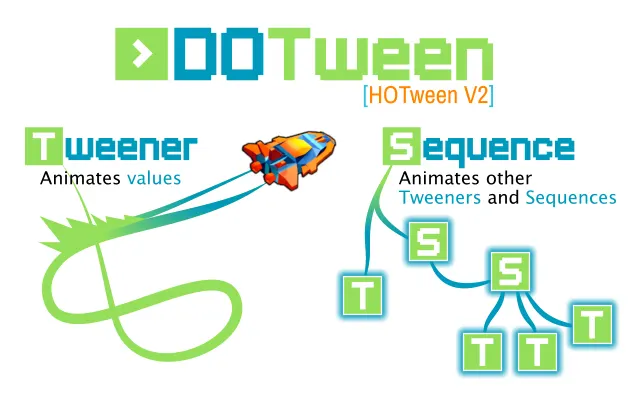
DOTween quickly creates tween animations for 3D objects, 2D objects, UI, audio, materials, lights, and more.
Required version: Unity 3.5.7 or later.

Instant Screenshot
Instant Screenshot captures high-resolution images through a Camera.
Required version: Unity 4.5.5 or later.
Sorting View (Sprite sorting management)
Sorting View displays the Sorting Layer and Order in Layer for current Sprite objects, and lets you modify them.
Required version: Unity 4.6.3 or later.
Log Viewer (Log display)
Log Viewer displays logs, device information, response time, and other debug data on a mobile device.
Required version: Unity 4.0.0 or later.
A* Pathfinding Project Free (A* road patrol system free version)
A* Pathfinding Project Free helps create patrol types, paths, and pathfinding behavior quickly.
Required version: Unity 5.1.0 or later.
Official download page
Cinema Themes 2 (Camera Effects)
Cinema Themes 2 applies camera effects such as nostalgic, night, beach, and arctic looks.
Required version: Unity 4.6.1 or later.
Ruler 2D (2D alignment, ruler, grid tools)
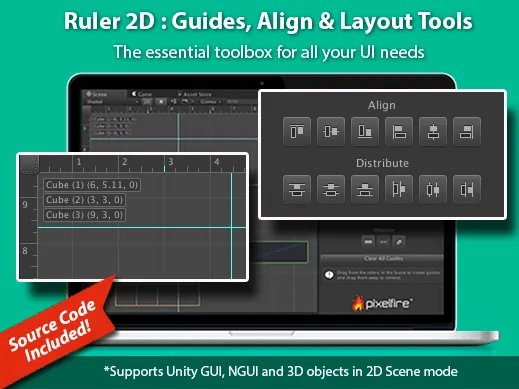
Ruler 2D displays rulers, custom grids, multi-object alignment tools, and distribution tools in the Scene view.
Required version: Unity 5.3.4 or later.
Create Script Dialog
Create Script Dialog is an official Unity editor extension for script generation. You can choose different script layouts, names, and implementation patterns.
Required version: Unity 3.4.2 or later.
2017/03/09 Supplement
Ruler 2D later became a paid asset at $5.
Create Script Dialog can fail on Unity 5.3 or later because the script references an internal API that is no longer directly available. In NewScriptWindow.cs, around line 453, replace the if block with the reflection-based version below.
NewScriptWindow.cs
if (CanAddComponent())
{
    // Need to use reflection to access this now (it is internal)
    MethodInfo addScriptMethod = typeof(InternalEditorUtility).GetMethod("AddScriptComponentUncheckedUndoable",
                                                                      BindingFlags.Static | BindingFlags.NonPublic);
                                                                      addScriptMethod.Invoke(null, new Object[] {m_GameObjectToAddTo,
    AssetDatabase.LoadAssetAtPath(TargetPath(), typeof (MonoScript)) as MonoScript});
}
Special thanks
Lin Yi Chug reported the issue.
Attribution
Please credit ARKAI Studio and link back to this article when quoting or reposting.