

Tool / Unity
An Engineer's Toolbox (3): Unity Editor Tools
This article introduces a set of Unity editor tools. The point is simple: reduce repetitive editor work, save time, and keep attention on actual development instead of clicking the same controls forever.
Other articles in this series
- An Engineer’s Toolbox (1): Utility.cs Convenience Helpers
- An Engineer’s Toolbox (2): Singleton and Debug Filtering
- An Engineer’s Toolbox (3): Unity Editor Tools
- An Engineer’s Toolbox (4): Recommended Free Unity Plugins
Classification
- AssetBundle related
- Create files related
- Search related
- Prefab related
- UGUI related
- Window related
- Show related
Source code

AssetBundle related
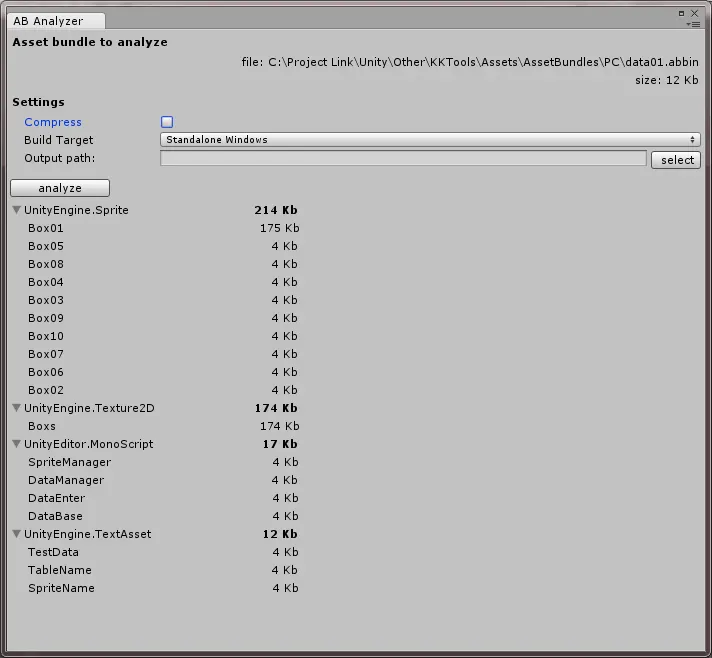
AssetBundle Analyze
Usage: Select any AssetBundle file for analysis.
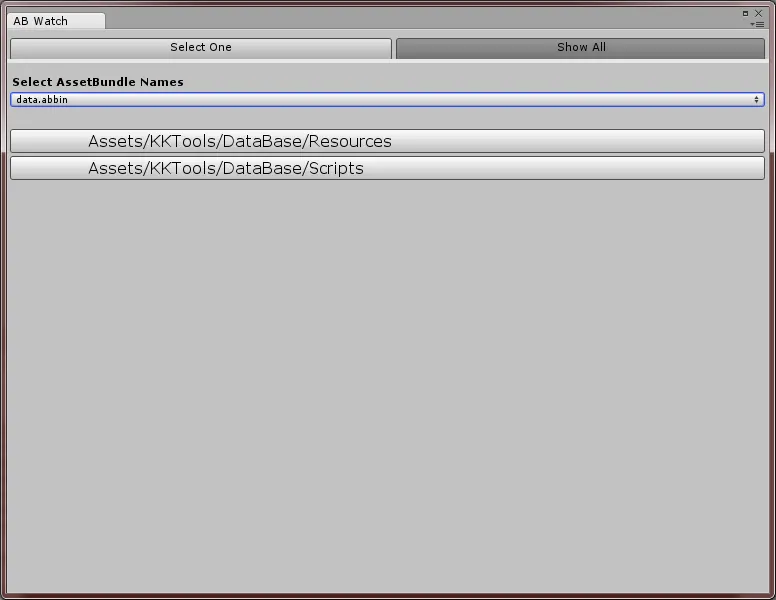
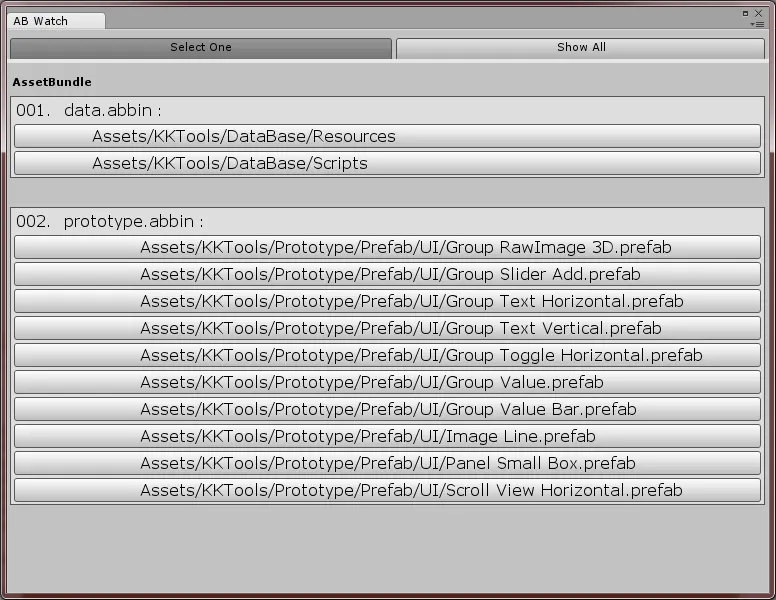
AssetBundle Watch

Usage: Display either the selected bundle or all bundles. Files are grouped by AssetBundle Name, so you can quickly see which assets belong to which bundle.
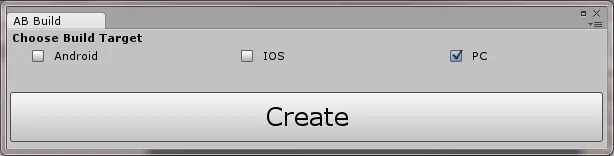
AssetBundle Build (AssetBundle Build)
Usage: Select the target platform, then build the AssetBundle.
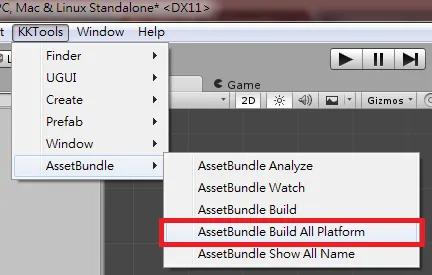
AssetBundle Build All Platform (AssetBundle Build All Platform)
Usage: Build AssetBundles for every configured platform. The platform list can be adjusted in code.
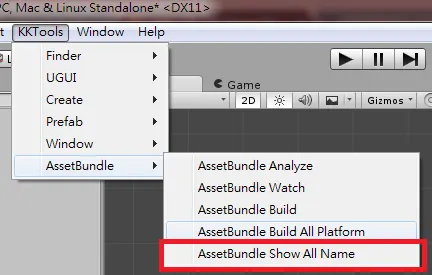
Print out all current AssetBundle Names (AssetBundle Show All Name)
Usage: Print all current AssetBundle Names to the Console.
Create files related
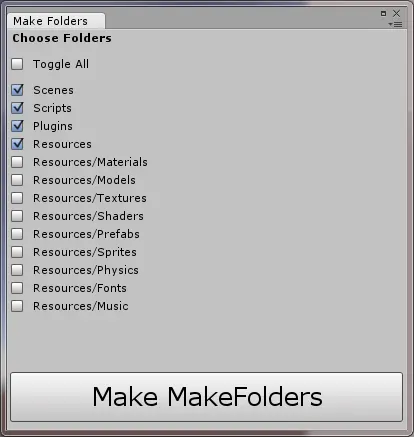
Make Project Folders
Usage: Select the folder set you want to create.
Search related
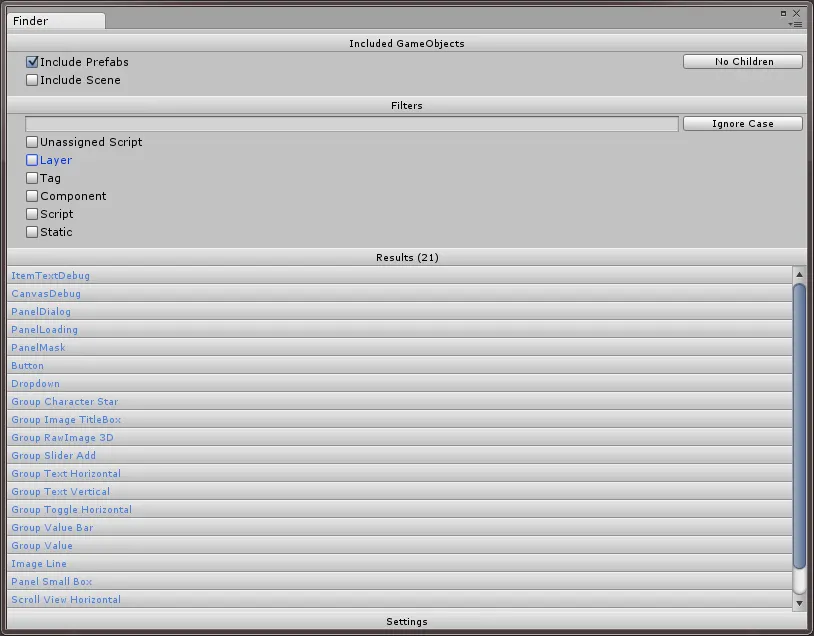
Object Finder (Finder)
Usage: Enter a search string, then choose whether to search Scene objects or Prefabs. Filters narrow the target type.
Prefab related
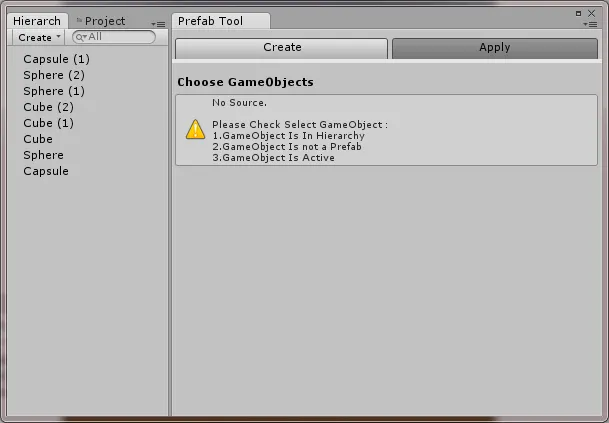
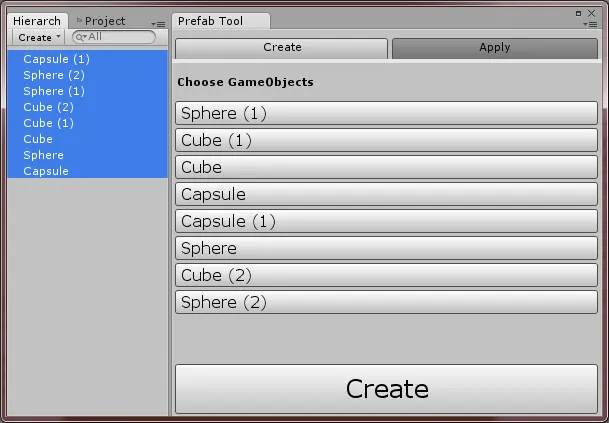
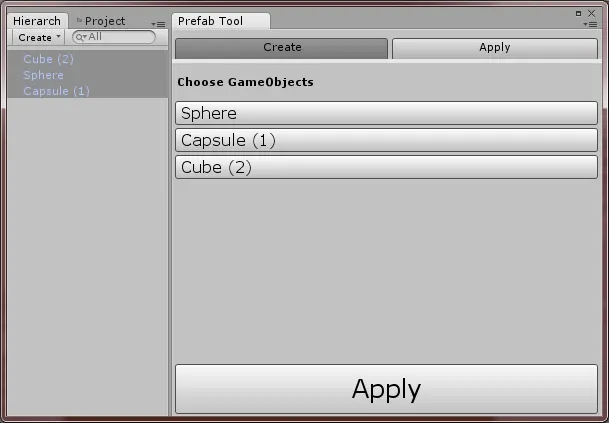
Prefab Tool
Usage: Supports two workflows: Create and Apply. This makes it easier to operate on several Prefabs, which older Unity versions did not handle well by default.
UGUI related
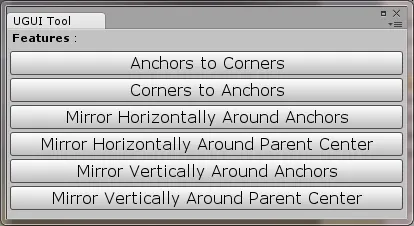
UGUI Tool
Supported operations:
- Anchors aligned to corners (Anchors to Corners)
- Corners to Anchors
- Mirror Horizontally Around Anchors
- Flip anchors and images horizontally around the parent’s center point (Mirror Horizontally Around Parent Center)
- Mirror Vertically Around Anchors
- Flip anchors and images vertically around the parent’s center point (Mirror Vertically Around Parent Center)
Window related
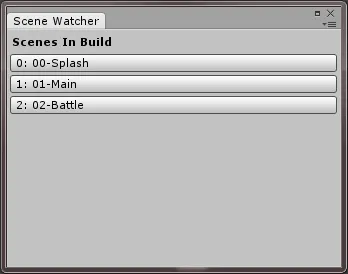
Scene Watcher
Usage: Add scenes under Unity -> File -> Build Settings, then click a scene name in the tool to switch scenes.
Show related
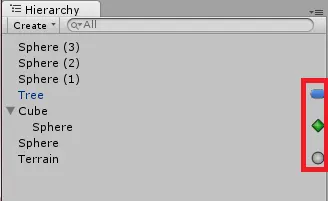
Display object icon in Hierarchy
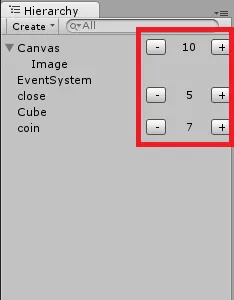
Show and edit Canvas and Sprite sorting order in Hierarchy
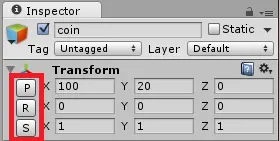
Show Position, Rotation, and Scale reset buttons under Transform in Inspector
Postscript
These editor tools are not complicated, but they remove many tiny interruptions from day-to-day work. Once you understand the pattern, you can build similar tools for your own project needs and keep responsibilities clearer across the team.
References
Attribution
Please credit ARKAI Studio and link back to this article when quoting or reposting.